Estimate how much landscape rock to order in cubic yards, cubic feet, US tons, bags, and optional cost. Use it for decorative rock beds, river rock, garden paths, tree rings, borders, and other landscaping areas.
Already Have Rock? Estimate Its Coverage
Formula Used
Area = selected shape area
Volume = area × rock depth
Cubic yards = cubic feet ÷ 27
Order volume = base volume × (1 + allowance%)
US tons = order yd³ × selected bulk density
Estimate Limitations
It does not treat a waste allowance as a structural compaction factor, does not guarantee supplier density, and does not size base rock, riprap, retaining-wall backfill, or other engineered applications.
Use the rock calculator above to quickly estimate how much rock you need in cubic yards, cubic feet, tons, and approximate cost for your next outdoor project. Whether you are planning a decorative river rock bed, landscape gravel area, garden path, tree ring, or dry creek bed, the tool turns your project dimensions into actionable numbers you can bring to a supplier.
Rock Calculator: Quick Start Guide
A rock calculator estimates the volume, weight, and cost of stone needed for a project. The tool at the top of this page does exactly that for landscape rock applications such as decorative beds, walkways, garden areas, borders, tree rings, and dry creek beds.
Here is how to get your estimate in about 30 seconds:
- Choose the calculation type. Select New Installation or Existing Rock Top-Up. You can also use the optional Suggested Depth by Application buttons as editable planning starting points.
- Enter your project area using Rectangle, Circle, Triangle, or Known Area. You can add multiple areas to one estimate, and the calculator supports both U.S. customary and metric dimension units.
- Select River Rock, Pea Gravel, Crushed Decorative Rock, Decorative Gravel / Mixed Rock, Lava Rock, Mexican Beach Pebbles / Cobble, or Custom Density.
- Optionally, enter a supplier price per US ton, cubic yard, or bag, plus any delivery fee, to estimate material cost.
- Review cubic yards, US tons, coverage, bags, and cost. If you want an ordering buffer, use the calculator’s optional Order Allowance rather than manually changing the calculated quantity.
Users input dimensions and material type to receive estimates in cubic yards and tons, making it easy to plan before you order. A rock calculator aids in project planning by improving accuracy and reducing material waste.
Note that all results are planning-level estimates. Density, price, delivery fees, and local material names vary depending on supplier and region, so confirm those details before placing a final order. Crushed Stone Calculator is a free material calculator for rock that supports gravel, crushed stone, river rock, pea gravel, lava rock, and other landscape stone.
What Our Rock Calculator Estimates
The tool converts your project dimensions into volume, weight, coverage area, and optional cost for rock and gravel. Think of it as a landscape gravel and rock calculator that handles decorative stone, crushed decorative rock, river rock, pea gravel, and lightweight materials such as lava rock.
Here is what you will see in the results:
- Total surface area covered in sq ft.
- Volume of rock in cubic yards, cubic feet, and cubic meters.
- Estimated US tons of rock, calculated from the selected planning density or a Custom Density entered by the user.
- Optional material cost based on your entered price per US ton, per cubic yard, or per bag.
Calculators output total volume in cubic yards and estimated weight in US tons. Cubic yards and US tons are common selling units among U.S. landscape suppliers, although the selling unit varies by supplier and product. Suppliers may sell rock by the US ton, cubic yard, or bag. The calculator lets you use the same price unit as your supplier quote, although it does not automatically compare different selling units side by side. Gravel is often sold by the ton or cubic yard, and knowing both numbers helps avoid surprises at checkout.
A rock calculator is commonly used in landscaping for projects such as garden beds, decorative rock areas, paths, borders, tree rings, and dry creek beds. You can also see how much gravel or how much rock is needed for multiple rock types, not just one generic number. Keep in mind that density, moisture, and gradation vary by quarry, so treat the numbers as approximate planning figures.
How to Use the Rock Material Calculator Step by Step
Walk through these steps to go from a blank form to a usable estimate:
- Step 1 – Choose the calculation type. Select New Installation or Existing Rock Top-Up. You can also use the optional Suggested Depth by Application buttons for Decorative Rock Bed (2 inches), Walkway / Garden Path (3 inches), River Rock Bed (3 inches), Tree Ring / Landscape Border (2 inches), or Dry Creek Bed (3 inches). These are editable planning starting points rather than structural design specifications.
- Step 2 – Enter the area and depth. Choose Rectangle, Circle, Triangle, or Known Area. You can add multiple sections to one estimate and use U.S. customary or metric dimension units. Enter the planned rock depth, or in Top-Up mode enter the current average depth and target final depth.
- Step 3 – Choose the rock type. Select River Rock, Pea Gravel, Crushed Decorative Rock, Decorative Gravel / Mixed Rock, Lava Rock, Mexican Beach Pebbles / Cobble, or Custom Density. You can also select an optional rock-size range for practical coverage guidance. If your supplier’s product is crushed limestone, granite gravel, road base, or another material not listed as a preset, use Custom Density with the supplier’s tons-per-cubic-yard value.
- Step 4 – Set the Order Allowance and optional cost inputs. Choose 0%, 5%, 10%, 15%, or a Custom Order Allowance. The default is 10%. If you have supplier pricing, enter the price per US ton, per cubic yard, or per bag. For bag pricing, also enter the bag weight. You can add a flat delivery fee if applicable.
- Step 5 – Review the estimate. Check the base material volume, Order Allowance, estimated order volume, US tons, pounds, coverage, optional bag equivalent, and cost. If you are already using the calculator’s Order Allowance, do not add a second waste percentage to the result.
For a gravel driveway, drainage trench, patio or paver base, shed pad, playground, or erosion-control project, use the project-specific material and required depth rather than treating a landscape-rock preset as a design recommendation. The calculator can still perform the area and quantity math once those project requirements are known.
Rock calculators typically ask for length, width, depth, and rock type to estimate material needs. Effective rock calculators support multiple shapes and unit conversions between metric and imperial, and this one does both.
Project Shapes & Area: From Total Area to Rock Volume
Most projects start by finding the total area of the space, then multiplying by depth to get volume. Gravel volume is calculated by area times depth, regardless of shape.
The calculator supports the most common shapes:
- Rectangle (landscape beds, borders, walkways): Length × width gives you the surface area. For example, a 20 ft by 10 ft landscape bed has an area of 200 sq ft. At 3 inches deep, the base volume is 50 cubic feet, or about 1.85 cubic yards before any Order Allowance. When length and width are in feet and depth is in inches, cubic yards = Length × Width × Depth (inches) ÷ 324. Alternatively, convert the depth to feet first, multiply Length × Width × Depth to get cubic feet, then divide by 27.
- Circle (fire pit rings, round beds, tree rings): Use the formula π × (diameter ÷ 2)². A 10 ft diameter round rock bed has an area of about 78.5 sq ft. At 4 inches deep, it requires about 26.2 cubic feet, or 0.97 cubic yards before any Order Allowance.
- Triangle (angled or triangular landscape sections): Use 0.5 × base × height to find the surface area, then multiply by rock depth to calculate volume.
- Known Area: If you already know the total square footage, square yards, square meters, or acreage, enter that area directly instead of calculating dimensions again.
For irregular shapes, divide the project into smaller rectangles, circles, triangles, or measured sections and use Add Another Area. The rock calculator combines those sections automatically for one total estimate.
Rock Calculator Formulas: Cubic Feet, Cubic Yards & Tons
The tool uses standard volume and unit conversion formulas that you can double-check by hand if you want to verify your numbers.
Here is the core formula in plain English:
- Base volume (cubic feet) = area (square feet) × depth (feet).
- Base volume (cubic yards) = cubic feet ÷ 27.
- Order volume = base cubic yards × (1 + Order Allowance ÷ 100).
- Estimated US tons = order volume in cubic yards × selected bulk density in tons per cubic yard.
A concrete example for a walkway: 20 ft × 15 ft at 3 inches deep gives 300 sq ft × 0.25 ft = 75 cubic feet. Then 75 ÷ 27 ≈ 2.8 cubic yards. If you are using crushed stone at a typical density similar to the calculator’s Crushed Decorative Rock planning preset of 1.35 tons per cubic yard, the estimated base weight is about 3.75 US tons before any Order Allowance.
With the calculator’s default 10% Order Allowance, that example becomes about 3.06 cubic yards and 4.13 US tons as the estimated order quantity.
A cubic yard of gravel or landscape rock does not have one universal weight. Bulk density varies by material, product source, gradation, rock size, moisture, and void space. The rock material calculator converts cubic yards to US tons using a planning density for the selected material, or a Custom Density entered by the user. These are planning-level conversions rather than guaranteed delivered weights.
Common Rock Types in the Calculator (Gravel, River Rock, Lava Rock & More)
Different rock materials behave differently in terms of weight and practical coverage, so the rock calculator lets users choose from multiple rock types with planning density presets.
- Crushed stone / crushed decorative rock: Crushed stone is formed by mechanically crushing natural stone, which creates angular particles and a wide range of products for landscaping and construction. The Rock Calculator’s Crushed Decorative Rock preset is intended for loose landscape-rock planning, not a specific structural aggregate specification. If you are comparing limestone vs granite gravel, material type can affect appearance, weight, and project suitability. For information about a commonly used construction aggregate size, see our No. 57 stone guide.
- Gravel and pea gravel: Pea gravel is similar in size to garden peas, with smooth surfaces that make it comfortable underfoot. It works well for walkways, play areas, and decorative beds, though it provides less structural interlock than angular crushed stone. Bank gravel comes from natural deposits and is often intermixed with fines such as sand or clay, so its gradation can vary considerably by source.
- River rock: River rock and river stone are commonly used for decorative landscaping because of their smooth, rounded appearance. Supplier size ranges vary, but common landscape products include sizes such as 1–3 inches and 3–5 inches, while other suppliers may offer ranges such as 1–2 inches or 2–4 inches. Smaller and medium river rock is commonly used in landscape beds, borders, and around downspouts, while larger sizes are often used for dry creek beds and bold landscape accents. Check the actual product size and coverage guidance from your supplier before ordering.
- Lava rock: Lightweight and porous, lava rock is commonly used in garden beds and around plantings as an alternative to organic mulch. Bulk weight can vary significantly by product; supplier examples range from about 0.50 to 0.75 US tons per cubic yard for some landscape lava-rock products. The calculator uses 0.65 tons per cubic yard as a planning density preset, which is near the middle of that range. Because lava rock is much lighter than many other landscape stones, one ton can cover more area at the same depth. Confirm the actual product weight or coverage guidance with your supplier when available.
Densities shown in the calculator are planning presets, not guaranteed supplier weights. Actual bulk density can vary with the product source, rock size, gradation, moisture, and void space.
Typical Depths for Landscape Rock Projects
Correct depth is just as important as area when calculating how much landscaping rock or gravel you need. The right depth varies with the material, rock size, desired appearance, existing conditions, and supplier guidance, so the calculator’s suggested depths are best used as editable planning starting points.
Planning-level starting depths for common applications:
- Decorative Rock Bed: about 2 inches as a planning starting point for a typical decorative layer. Adjust the depth for the actual rock size, desired appearance, and supplier coverage guidance.
- Walkway / Garden Path: about 3 inches as a planning starting point for loose landscape gravel or decorative rock. The actual depth can vary with material size and how you want the finished surface to look.
- River Rock Bed: about 3 inches as a planning starting point. River rock is sold in many sizes, so check the selected product size and supplier coverage recommendation before ordering.
- Tree Ring / Landscape Border: about 2 inches as a planning starting point for decorative coverage around landscape areas. Adjust as needed for the rock size and existing material already in place.
- Dry Creek Bed: about 3 inches as a planning starting point for estimating loose rock quantity. Larger rock or a different finished look may require a different depth, so use the actual project conditions when entering your final value.
These suggested depths are planning starting points, not universal installation requirements. Actual depth can vary with rock size, product shape, desired appearance, existing site conditions, and supplier guidance, and you can adjust the depth in the calculator as needed. Deeper layers increase cubic yards, estimated US tons, and total cost, so entering a realistic project depth is important.
What about driveways, patio bases, and French drains? These projects may also use crushed stone or gravel, but their required material type, layer depth, gradation, and compaction can depend on loads, soil conditions, drainage design, and local construction requirements. The landscape-rock depth suggestions above are not intended to design a gravel driveway, compacted patio or paver base, road base, or French drain system. You can still use the calculator for a known loose-rock area and depth, but use project-specific specifications when choosing the final material and layer thickness.
From Cubic Yards to Tons: Understanding Rock Density & Weight
Many landscape suppliers sell or quote rock by US ton, while others use cubic yards, so the calculator converts cubic yards to tons using the selected planning density. Understanding this conversion helps you compare volume and estimated weight before ordering.
Density describes how much a material weighs for a given volume, and bulk density can change with rock type, product source, stone size, gradation, moisture, and void space. In the current calculator, River Rock uses a planning preset of 1.35 tons/yd³, Pea Gravel 1.30 tons/yd³, Crushed Decorative Rock 1.35 tons/yd³, Decorative Gravel / Mixed Rock 1.35 tons/yd³, Lava Rock 0.65 tons/yd³, and Mexican Beach Pebbles / Cobble 1.25 tons/yd³. These are planning values rather than universal product specifications.
Rock density affects the estimated weight, while the calculator’s separate Order Allowance affects the estimated order volume. The rock calculator uses planning density presets for common landscape materials including crushed stone, gravel, river rock, and lava rock, with specific options for River Rock, Pea Gravel, Crushed Decorative Rock, Decorative Gravel / Mixed Rock, Lava Rock, and Mexican Beach Pebbles / Cobble. If you have a bulk density from your supplier or another reliable product source, select Custom Density and enter that value in US tons per cubic yard.
Because real-world bulk density can vary by supplier, product source, gradation, moisture, rock size, and void space, the calculated weight is a planning estimate rather than a guaranteed delivered load weight. For larger orders, confirm the product details and final quantity with your supplier before ordering.
How Much Gravel or Rock Do I Need? Practical Examples
Here are a few realistic homeowner scenarios using the how much rock calculator to save time on manual math:
- Example 1 – Decorative gravel bed: A 40 ft by 12 ft area covered with crushed decorative rock at 2 inches deep has a base volume of about 2.96 cubic yards. With a 10% order allowance, the estimate increases to about 3.26 cubic yards. Using the calculator’s 1.35 tons per cubic yard planning density, that equals about 4.40 US tons. Confirm the supplier’s product-specific density before ordering by weight.
- Example 2 – River rock for a dry creek bed: A 25 ft by 4 ft area at 3 inches deep requires about 0.93 cubic yards before allowance. With a 10% order allowance, that becomes about 1.02 cubic yards. Using the calculator’s 1.35 tons per cubic yard river-rock planning value, the estimated order weight is about 1.38 US tons. Larger river rock can have different bulk density and coverage, so use your supplier’s product data when available.
- Example 3 – Existing rock top-up: A 16 ft by 14 ft landscape bed currently averaging 1 inch of rock needs another 1 inch to reach a 2-inch target depth. The additional base volume is about 0.69 cubic yards. With a 10% order allowance, the calculator gives about 0.76 cubic yards, or approximately 1.03 US tons at a 1.35 tons per cubic yard planning density.
Try running multiple scenarios before ordering. For the same area, material, and order allowance, increasing depth from 2 inches to 3 inches increases the required material volume and estimated weight by 50%, before rounding.
Waste Factor, Compaction & Ordering a Little Extra
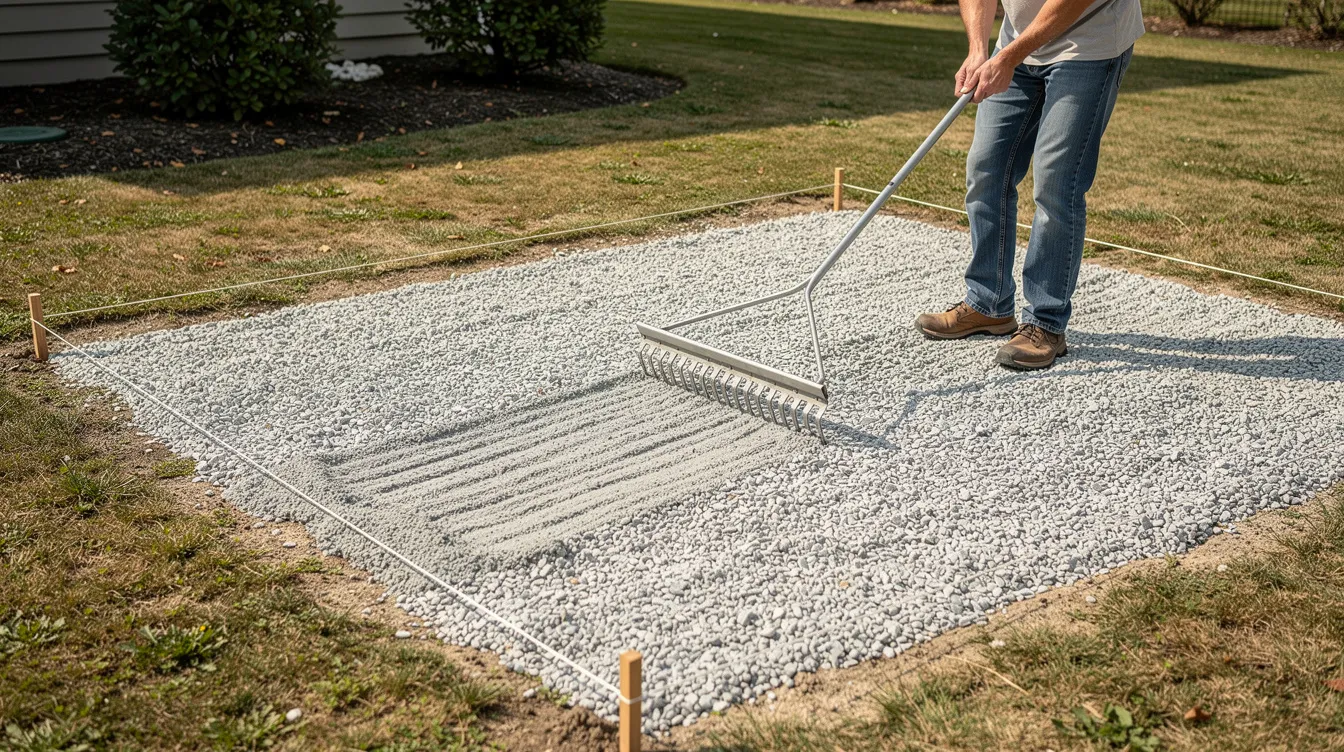
Landscape-rock projects rarely match perfect geometry, so a modest order allowance can help cover measurement uncertainty, irregular edges, minor grade variation, and normal spreading loss.
- For a simple, carefully measured landscape bed, around 5% extra may be enough. A 10% allowance is a common planning buffer and is the calculator’s default. Irregular or uneven landscape areas may justify roughly 10%–15%, depending on how uncertain the measurements and finished grade are.
- The calculator’s Order Allowance is an ordering buffer, not a structural compaction factor. A 10% allowance should not automatically be treated as 10% extra for compaction.
- For a gravel driveway base, patio or paver base, or another layer that must reach a specified compacted thickness, first determine the required finished compacted depth. Then use the supplier’s product-specific guidance, project specification, or installer’s loose-to-compacted conversion when determining how much loose material to order. The current rock calculator does not apply a separate structural compaction multiplier automatically.
- Soft subgrade, significant settlement, engineered drainage, or erosion-control work can require changes to material type, depth, grading, or installation—not simply a larger waste percentage.
For more detail on choosing an appropriate ordering buffer, see our guide on waste factor for stone projects.
For ordinary landscape-rock projects, a modest allowance can help prevent a small shortfall. For compacted structural layers, keep waste allowance and compaction requirements separate.
Cost Planning with the Rock Calculator
The tool can act as an early budget planner when you know or can get a ballpark price per ton, per cubic yard, or per bag from a local supplier.
Many U.S. landscape suppliers sell bulk rock by the ton or cubic yard, while bagged material is typically priced per bag. The calculator supports all three price units, but it does not automatically compare bagged and bulk prices against each other. For a broad U.S. reference, This Old House’s June 2026 pricing guide lists landscaping rock at roughly $50–$125 per ton or $45–$130 per cubic yard, although actual prices vary widely by material, location, quantity, and delivery requirements.
Here is how to use the cost feature:
- Enter the supplier price per US ton, per cubic yard, or per bag. If pricing by the bag, also enter the bag weight.
- Add the delivery fee as a flat dollar amount if applicable.
- Review the estimated material cost and, when a delivery fee is entered, the estimated total cost.
Actual cost will vary depending on local pricing, fuel surcharges, minimum delivery loads, taxes, and any spreading or installation labor, none of which are built into the calculator. For specific pricing on popular sizes, check our breakdown of the cost of 57 stone.
Print, copy, or export the calculator’s estimates as a reference when calling local suppliers. It makes it easier to compare quotes when you already know the volume needed and estimated weight.
Limitations, Local Variations & When to Talk to a Pro
Crushed Stone Calculator provides planning estimates, not engineered designs or guaranteed material quantities.
Key factors that can cause differences between the calculator and delivered results:
- Local rock names and sizes may not match generic categories (for example, “crush and run” vs. “crusher run” vs. “road base” can all describe similar products with different gradations).
- Quarry source, moisture content, fines content, and how the truck is loaded or measured all affect final weight and volume.
- Asphalt millings, dirt, sand, and concrete recycled aggregate have densities that differ from natural stone.
Before you order, confirm with your supplier:
- Whether they charge by ton, cubic yard, or truckload.
- Their stated tons per cubic yard or pounds per cubic foot (lb/ft³) for the chosen rock.
- Any minimum order quantities, delivery areas, and added fees.
For complex projects such as retaining-wall backfill, high-flow drainage channels, or critical erosion-control work where rock sizing, drainage, or placement affects performance or safety, use the applicable project specification and consult a qualified contractor or engineer when needed.
For most non-engineered landscape-rock projects such as garden beds, decorative walkways, tree rings, borders, and dry creek beds, the rock calculator is a practical starting point that can reduce guesswork before you contact a supplier. Enter your dimensions, choose the closest rock type or a verified Custom Density, and use the estimate to discuss the final order quantity with your supplier.
For a gravel driveway base, patio base, retaining-wall backfill, or another structural or specification-driven application, the calculator can still help with basic area and volume math when you already know the required dimensions and material data, but it should not be used to determine the required structural depth, aggregate specification, or compaction requirement.